
Fasol product news
Fasol Bot update log
Track Telegram bot, web terminal, alerts, callers, rewards, and community changes in one place.
Public product signals
These entries are based on public product surfaces. Exact Telegram dates can replace them after a bot export or screenshots.
Fasol now needs a log for both mobile and desktop traders
The old site explained the Telegram bot. The new update log should also track the desktop terminal, custom alerts, callers, rewards, and product education.
Open Web Version Open Telegram BotTelegram bot remains the mobile trading entry point
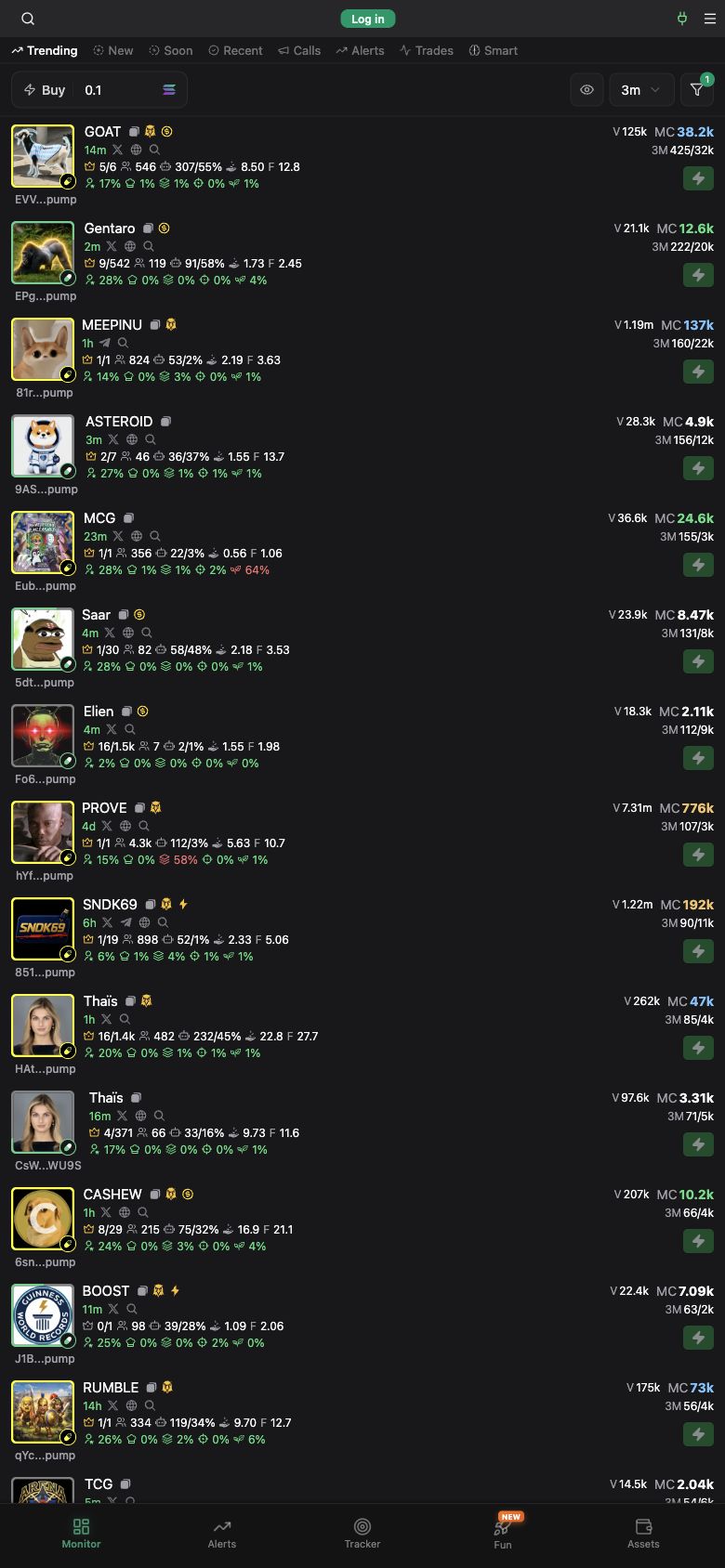
The official bot page presents Fasol as a Solana bot and routes users into Telegram. This is still the fastest mobile surface for opening the product.
Desktop web terminal expands the product story
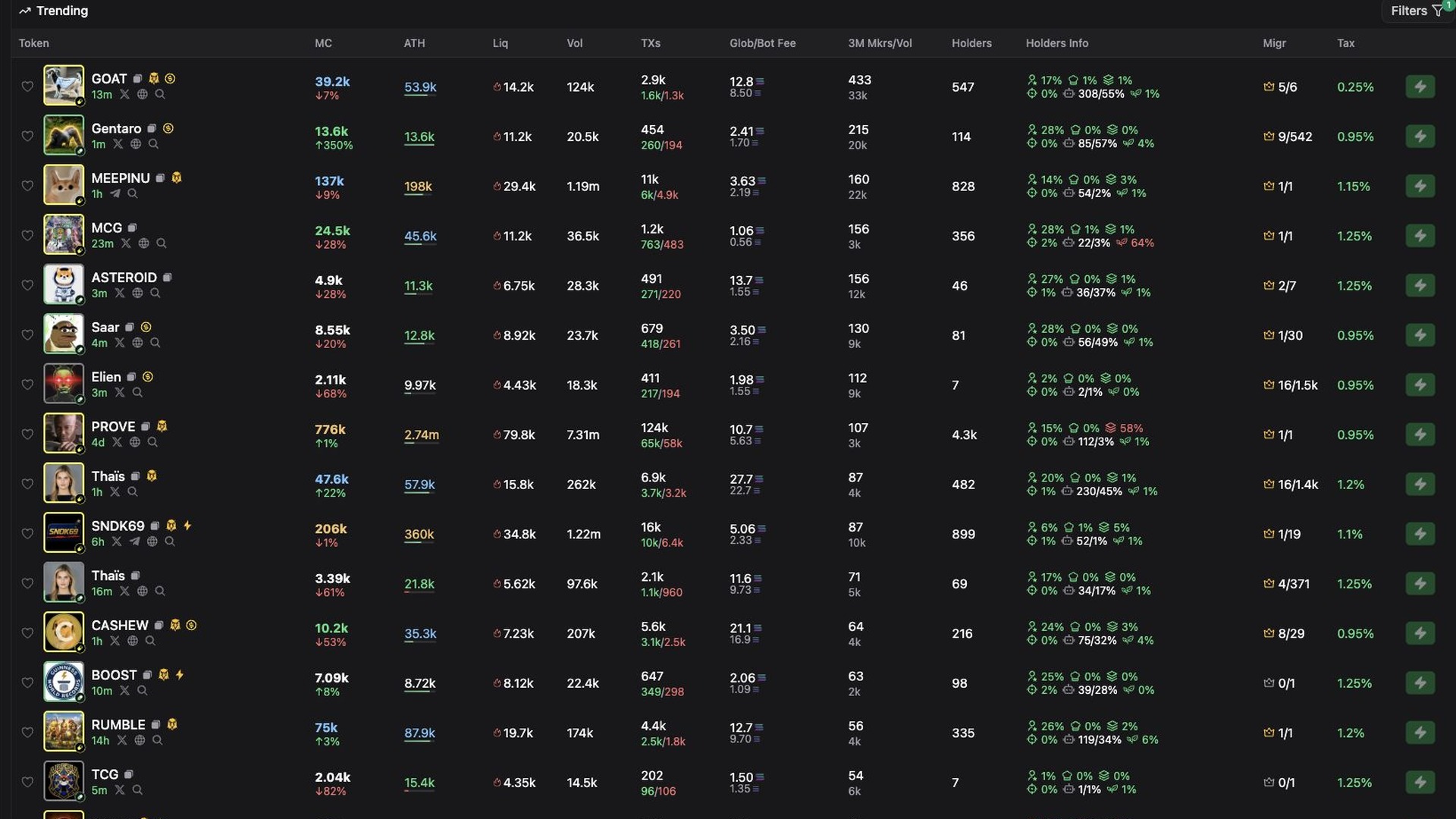
Fasol.trade shows the product as a dense Solana terminal with token scanning, filters, market data, and a desktop workflow closer to a trading workstation.
Custom alerts deserve their own release category
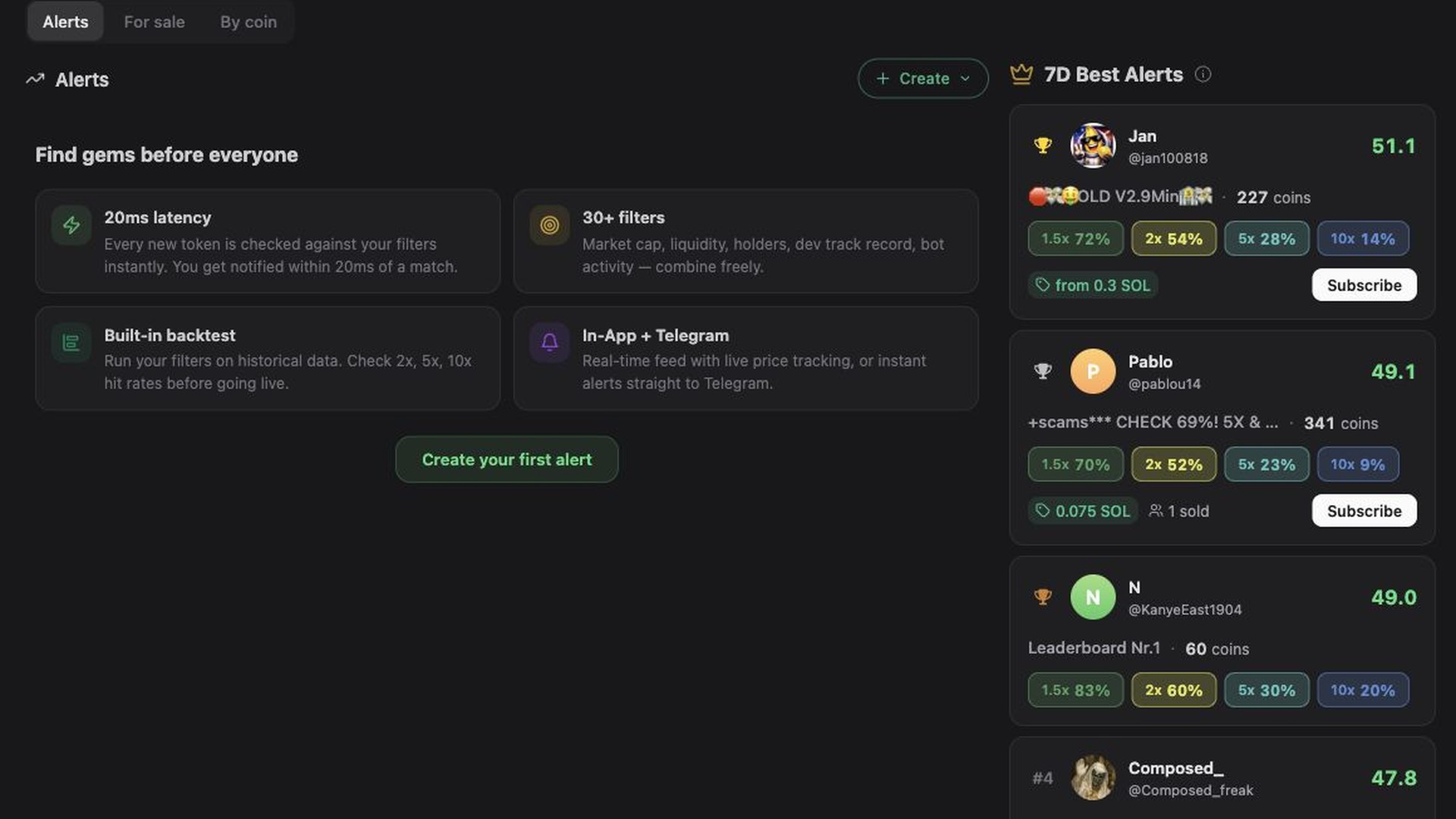
Alerts are a product line, not a small feature. They combine filters, backtesting, Telegram delivery, and leaderboard discovery for faster reactions.
Callers Hub and automation shape the technical narrative
Fasol should be framed around scanning, decision speed, execution, callers, and mobile access instead of generic crypto marketing copy.
Rewards and referrals widen the ecosystem
Cashback, referral tiers, and SOL reward mechanics give the site more product depth and can support future news entries.
Communities form the feedback channel
Public community pages route questions to chat, private bot messages, and the manager contact. That support path belongs in the update log.
Product surfaces to track
A useful changelog should separate mobile execution, desktop research, alerts, rewards, education, and support.
Terminal updates
Token scanner, filters, tables, wallet actions, trading windows, PNL, and desktop usability.
Alerts updates
Filter logic, Telegram delivery, backtests, leaderboard pages, and subscription flows.
Bot updates
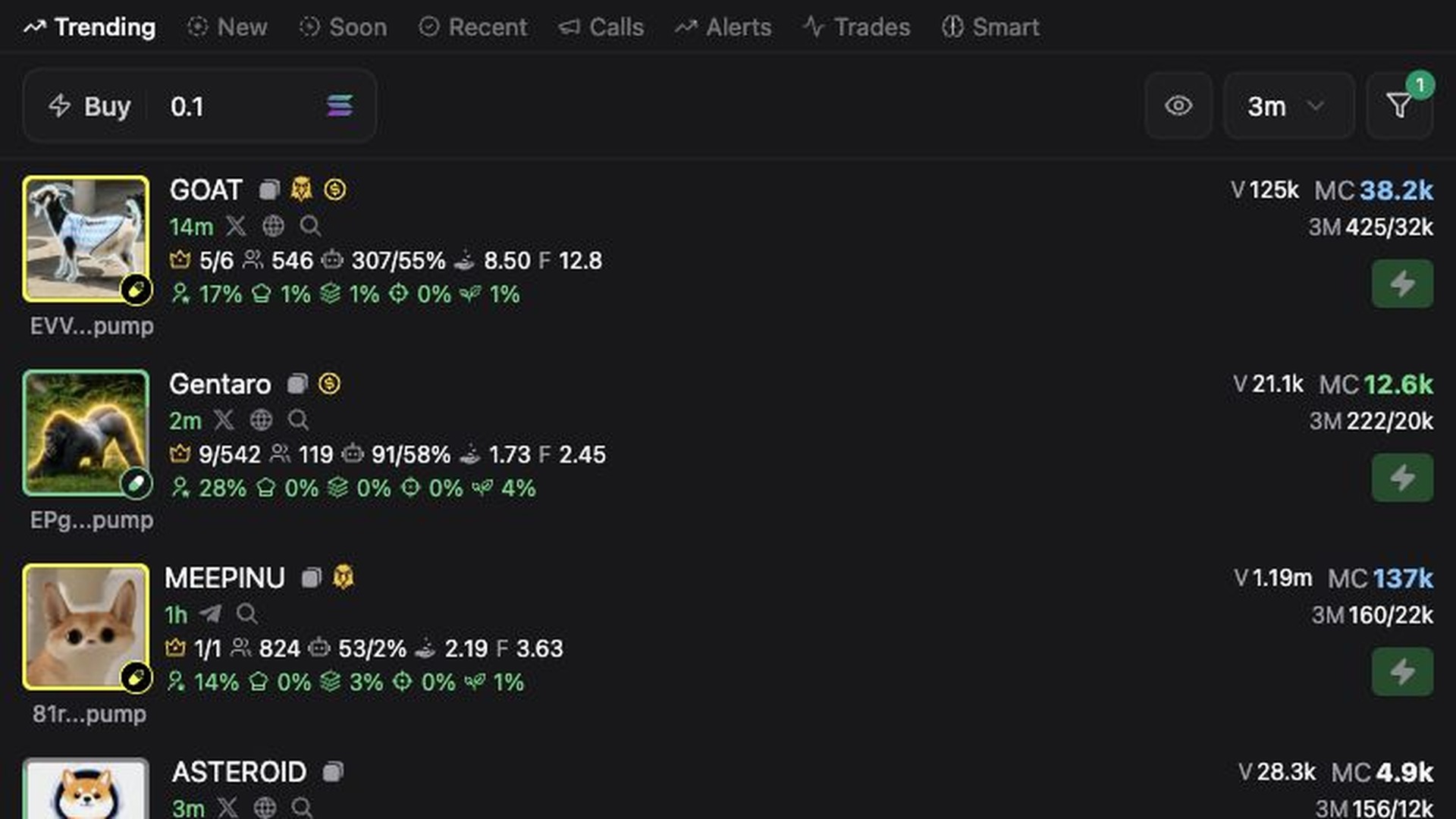
Mobile entry, Telegram workflows, wallet safety, fast actions, and onboarding guidance.
Release entry format
ready for Telegram export
What each real update should include
SEO content layer
updates page
Fasol Bot updates for Solana traders
Fasol Bot updates should help traders understand how the product evolves across Telegram and the web terminal. The update log can document changes to the mobile bot, Fasol Terminal, token scanner, filters, alerts, Callers Hub, rewards, wallet tools, and educational guides.
The most important product story is the combined workflow. A trader can open Fasol from Telegram on mobile, react to market movement quickly, and then use the desktop terminal for deeper token research, alert setup, and market scanning.
When Telegram release screenshots or exports are available, this page should become a dated archive for the last 12 months and older releases. Until then, it works as the structure for Fasol news, product changes, and search-friendly update summaries.
Update log FAQ
Short answers for users who want to follow product changes before opening the bot.
Where can I open the official Fasol Bot?
The official product links are web version and Telegram bot.
Is Fasol only a Telegram bot?
No. Fasol should be presented as a mobile Telegram trading bot and a desktop web terminal for Solana traders.
Is this a full Telegram changelog?
Not yet. Public Telegram web preview does not expose a dated release archive for @fasolbot, so this page is ready for the exact entries once an export or screenshots are available.
What should future updates cover?
Future entries should cover bot commands, terminal UI, scanner filters, alerts, callers, rewards, guide changes, and support improvements.