
What Fasol is
Fasol is a Solana trading bot and web terminal for traders who need one workflow across mobile and desktop. The Telegram bot keeps fast actions available from a phone, while the web terminal gives more space for scanner filters, charts, alerts and wallet review.
The product is built for memecoin trading on Solana. It combines token discovery, custom alerts, market data, launchpad and DEX context, order controls, rewards and practical education in one connected interface.
Login and safety
Fasol can be opened through the official bot link and the web terminal. Before any trade, confirm that you are using the correct account, wallet address and official Fasol entry point. This protects you from fake bots and copied terminals.
Tokens and filters
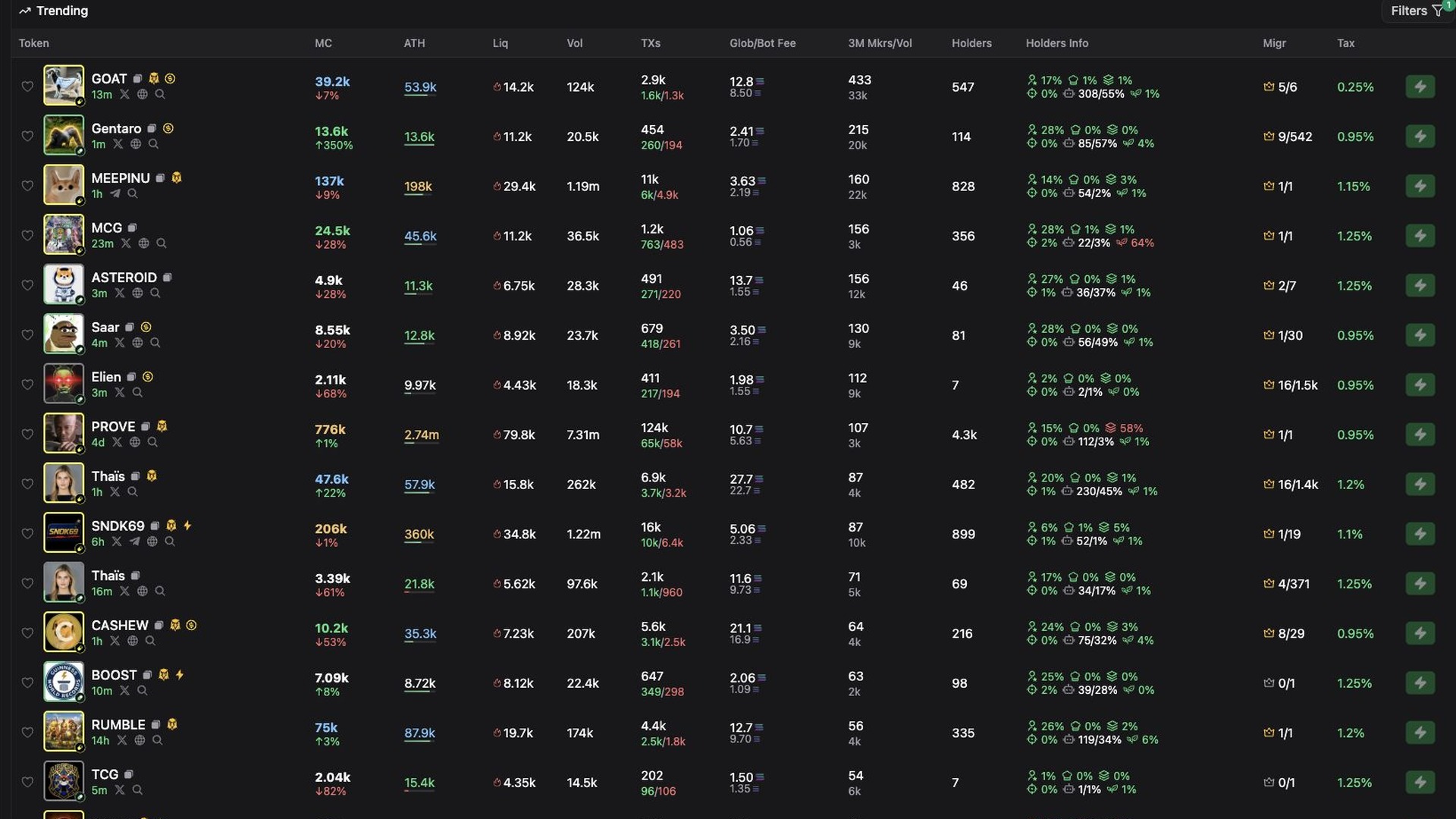
The Tokens page is the main discovery surface. It lets traders scan live Solana tokens, compare market cap, liquidity, volume, transactions, holders, fees and activity before opening a token page.
Alerts are a research layer
Fasol Alerts are not a replacement for trading judgment. They are a way to turn the live Solana market into a filtered shortlist. A good alert catches a setup candidate, then you review narrative, chart structure, liquidity and holders.
Calls, Tracker, Assets and Rewards
The terminal is more than a chart page. Calls help surface market activity, Tracker is useful for wallet observation, Assets keeps wallet state visible, and Rewards connects cashback, referrals and activity incentives into the same product ecosystem.
Token page
A token page is where discovery turns into a decision. Use the chart, order panel, trades block and token metrics together. The goal is to see whether the setup still matches your rules after the token leaves the scanner.
A simple workflow
Risk note
Solana memecoin trading is high risk. Fast execution does not remove market risk, liquidity risk or smart contract risk. Trade with a plan, use small size while learning and avoid buying every scanner result.
Fasol Web Terminal FAQ
Can I use Fasol only from Telegram?
Yes. Telegram remains the mobile entry point. The web terminal is better for chart review, filters, tracker views, calls and comparing many tokens at once.
What should I set before the first trade?
Check wallet, SOL balance, quick buy size, fees, slippage, MEV protection and your exit plan.